Home
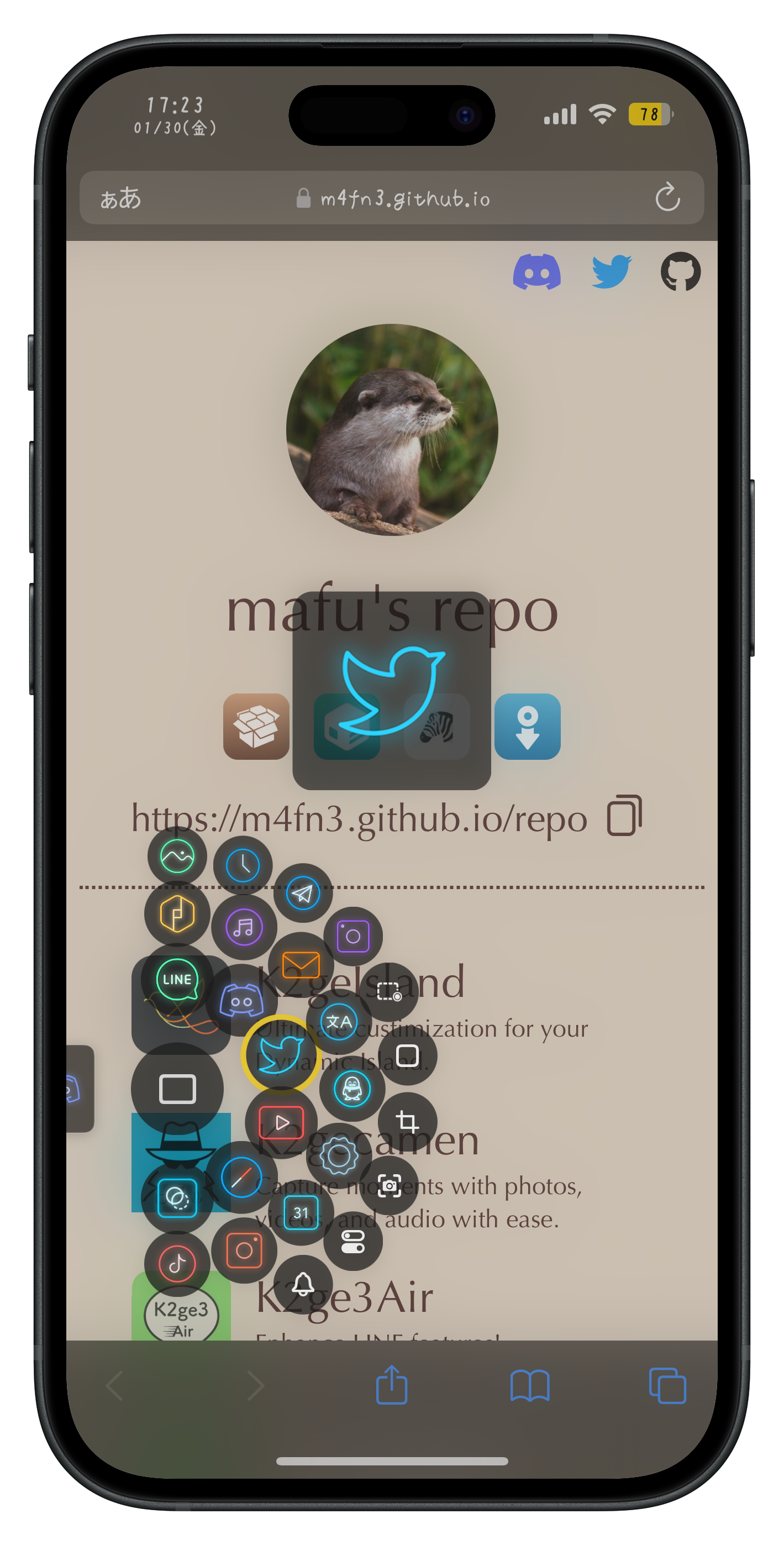
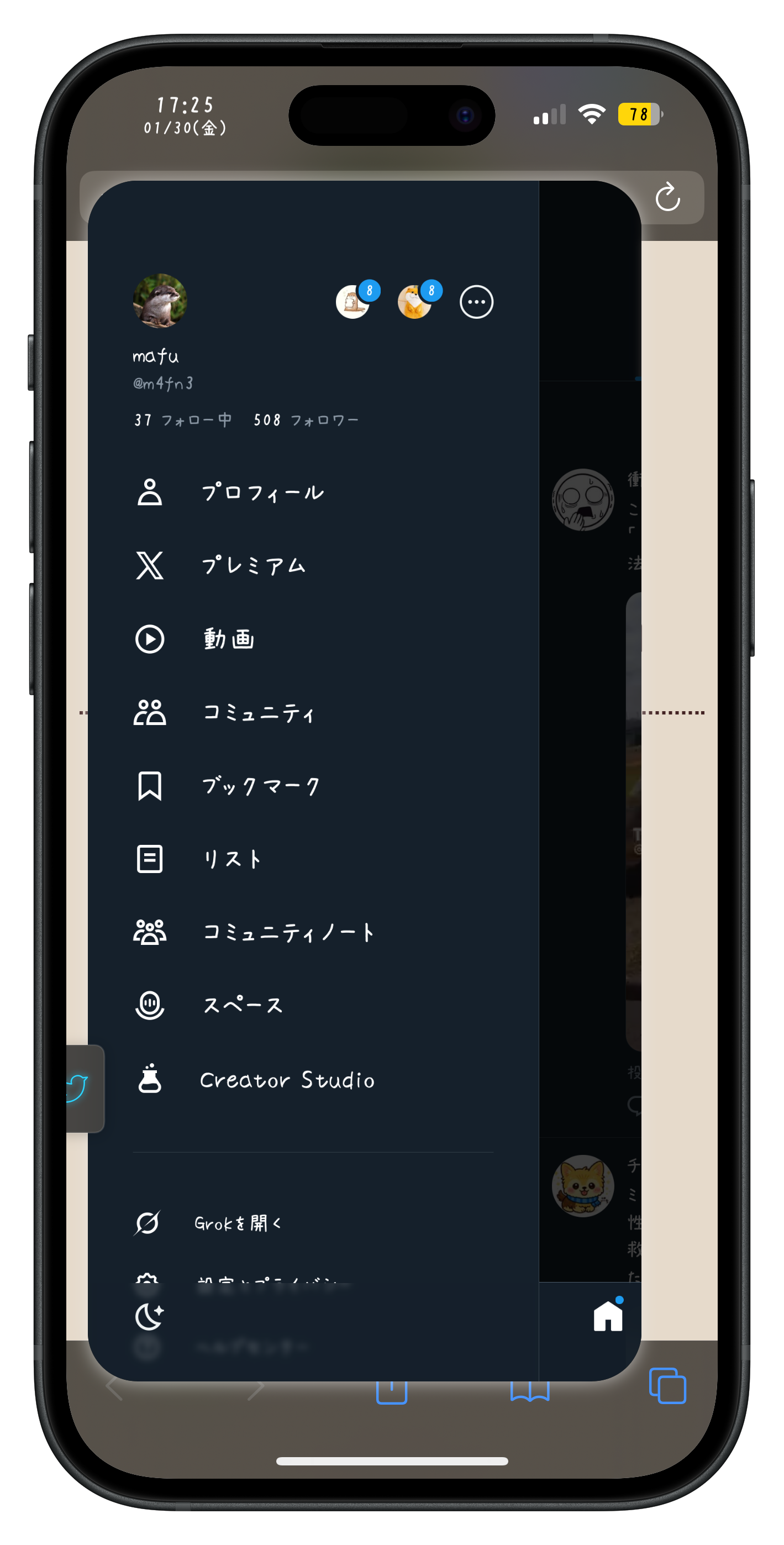
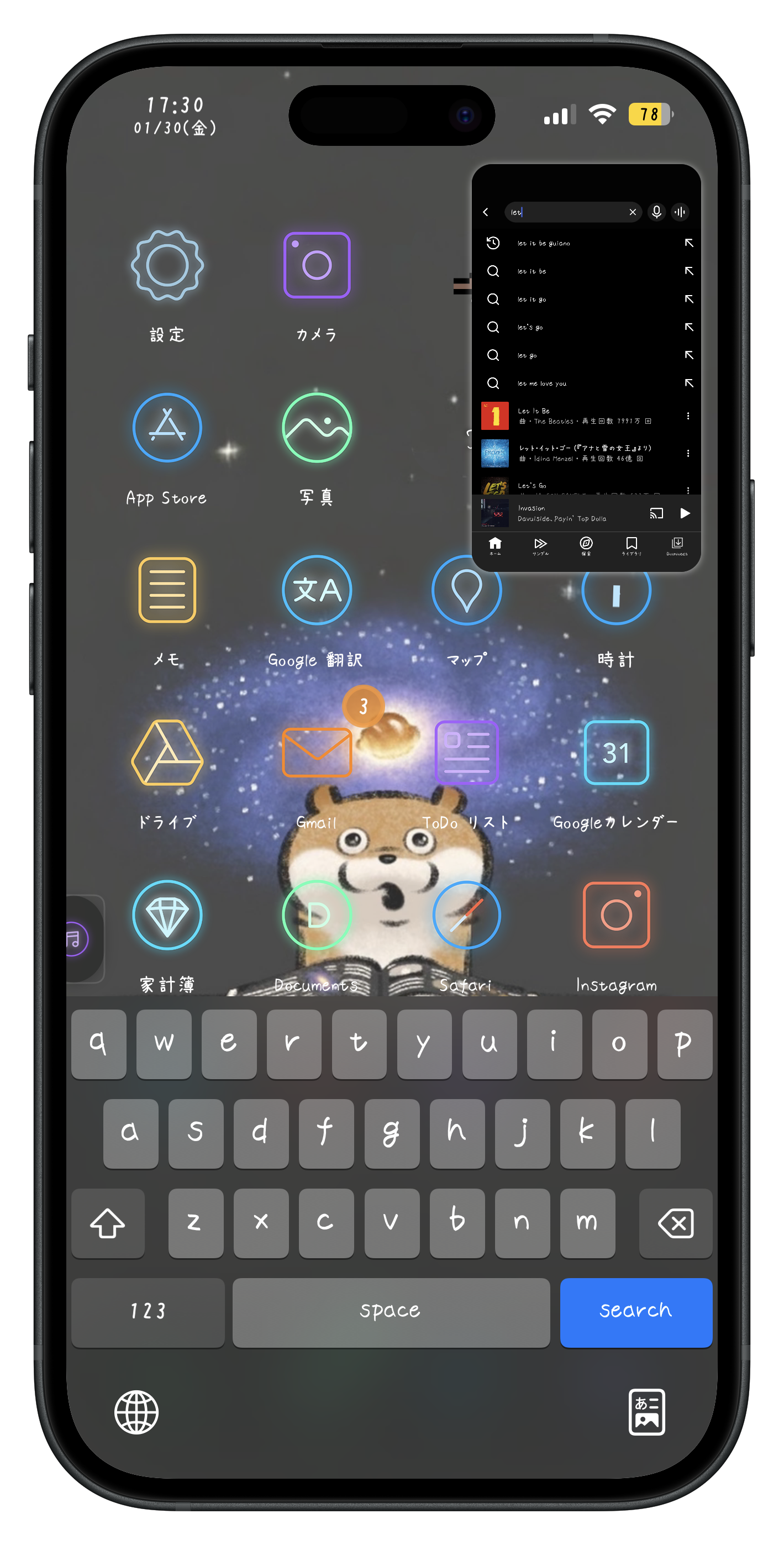
Myrtle puts app switching, floating windows, and system actions behind a single edge gesture, so you can keep moving without leaving what is already on screen.
iPhones running iOS 15 ~ 26 on rootful, rootless, or roothide jailbreaks.
Use the “Buy” button above to open the checkout page, then review the purchase details carefully.
PayPal and credit cards are accepted.
* Customers in China can find additional purchase information on the Chinese page.
1. Purchase a license and copy your license key.
2. Add this repository, then install Myrtle.
3. Open Myrtle from the Settings app.
4. Enter your license key and activate Myrtle.
* After an update, activation must be refreshed, but the key does not need to be entered again.
5. Choose your preferred behavior in “Main Settings.”
* For activation help, contact @m4fn3 on Twitter or email m4fn3q@gmail.com.
* One license covers up to 2 devices owned by you. Licenses are not transferable or shareable.
Use Myrtle as a lightweight one-window multitasker, or enable multi-window mode when you need several apps at once. Its edge selector also keeps your favorite apps and everyday system actions within reach.
Place a lightweight handle on either edge of the screen and open Myrtle with one horizontal gesture.
Move it vertically whenever it gets in the way, or hide it from screenshots and screen recordings.
The handle automatically moves away from the keyboard while you type.
Assign separate tap and long-press actions to open or close the last window, pin a window, swap the fullscreen and windowed apps, or bring the windowed app to fullscreen.
Build a selector from favorite apps, recent apps, and actions you use every day.
Customize the inner ring radius, spacing between rings, icon size, and whether outer-ring icons become progressively smaller.
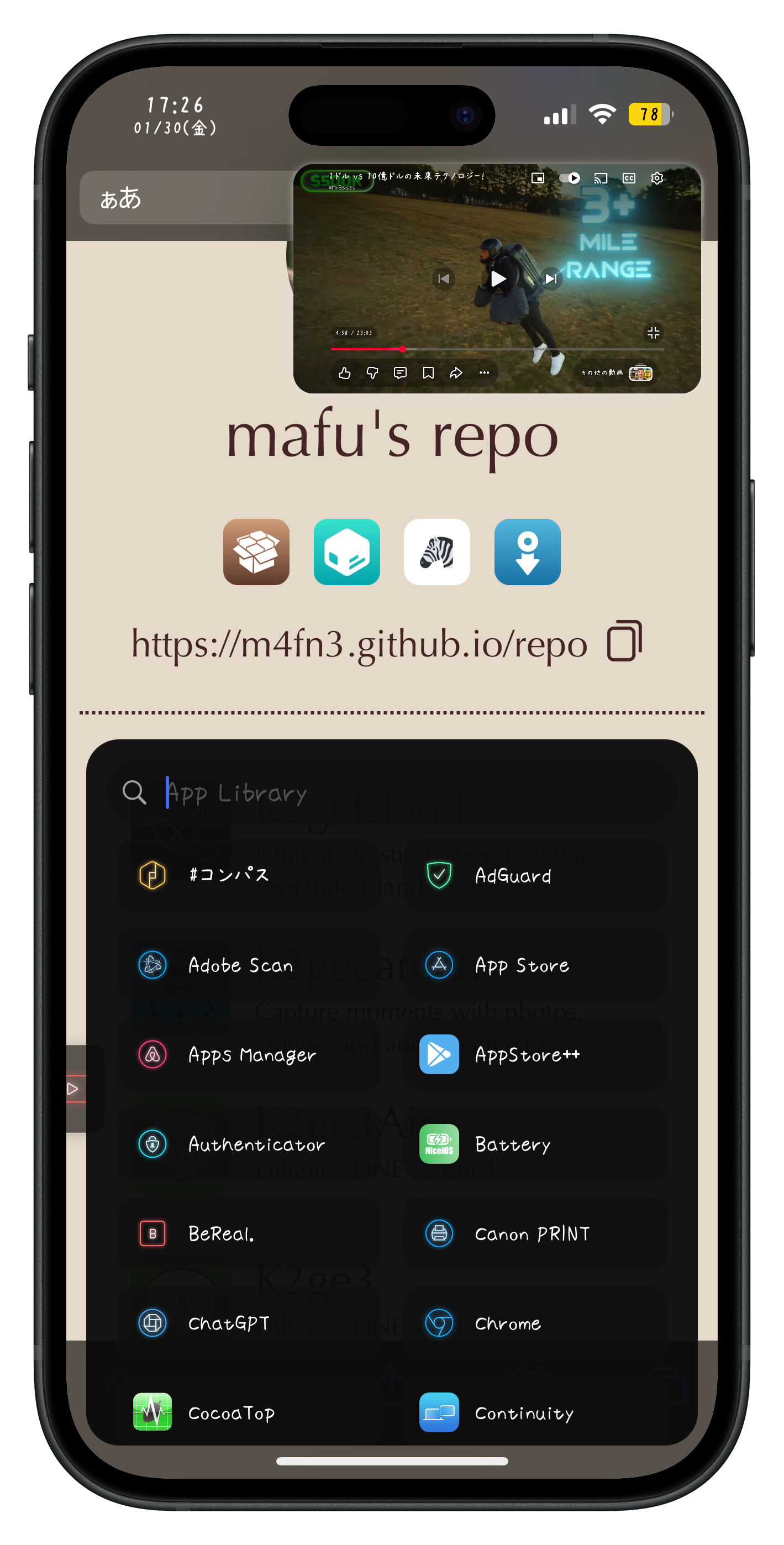
Open the alphabetical app picker and slide vertically to choose a letter, then horizontally to choose an app.
Run Shortcuts, open URLs, take screenshots, start screen recording, open Control Center or Notification Center, toggle cellular data, adjust brightness or volume with sliders, open Snapper 3 or clipboard history, and trigger supported third-party tweaks such as K2gecamen.
Basic, Quick, and Quick Reverse center-button styles let you choose whether a normal selection opens an app fullscreen or in a window. Optional hover previews make selection easier.
Choose between One-window mode (recommended) and Multi-window mode.
One-window mode quickly brings up one focused floating window. Switch its app at any time, or pin one app independently and open another window alongside it, for up to two apps on screen.
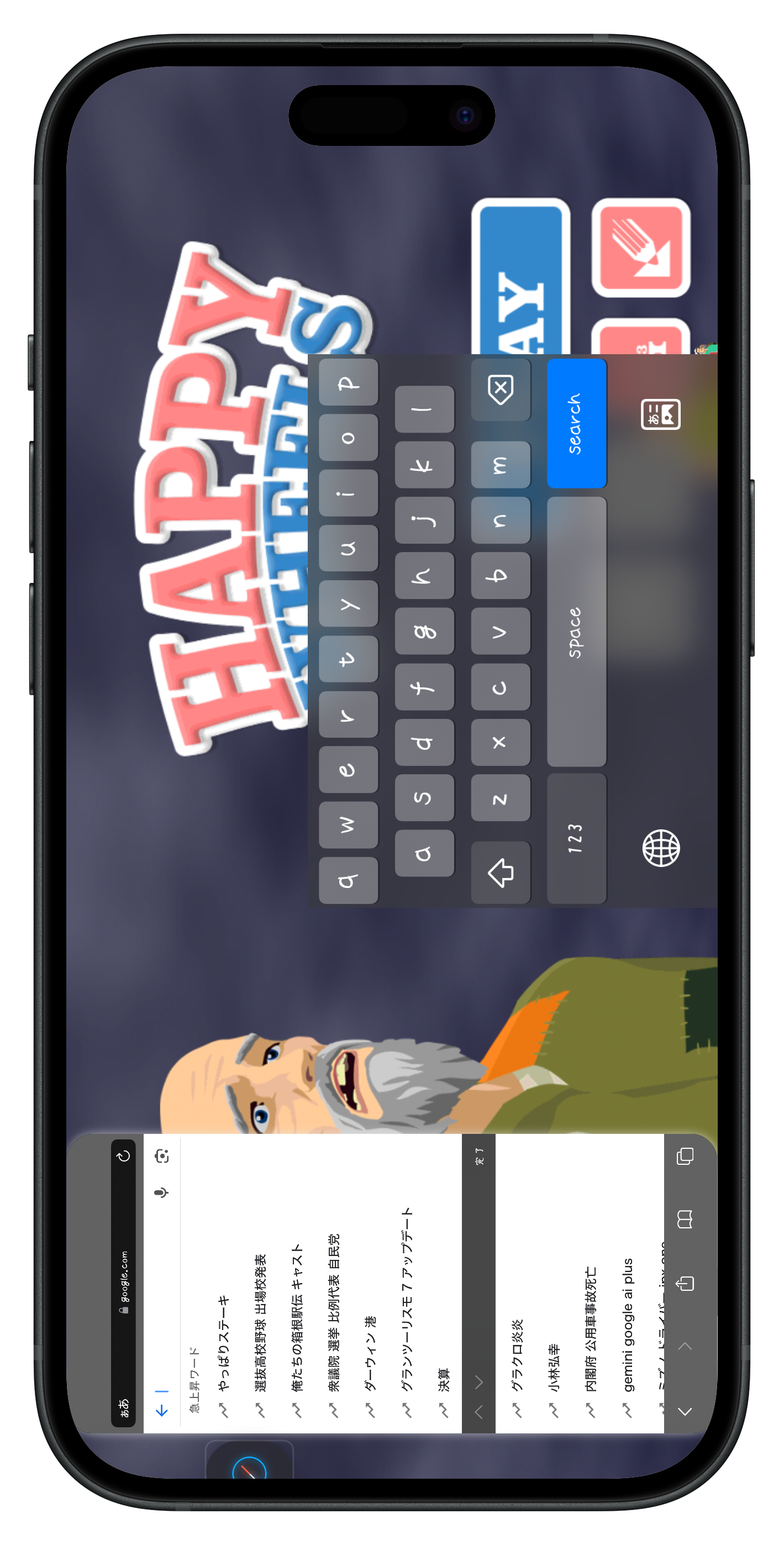
Move and resize the window directly, or swipe the handle to snap it into a top corner. Window size, remembered position, corner radius, keyboard placement, and rotation behavior are configurable.
Keep the window inside the screen while moving it, preserve a pinned window after locking and unlocking, and keep the keyboard accessible outside the window in portrait or landscape.
Multi-window mode opens several independent windows that can be moved, resized, or closed separately.
Only Multi-window mode requires Aerial by uz.ra from Havoc. One-window mode does not require Aerial.
Issues caused by Aerial itself are outside Myrtle support.
Open universal links, shared files, AirDrop destinations, and notifications directly in a floating window.
The selector can also prioritize the app that most recently sent a notification within a time window you choose.
One-window mode can use a compact 16:9 layout for video or to save screen space.
Apply it per app, when the window is snapped into a corner, or while the device is in landscape. Apps with layout problems can be excluded.
basic mode: The center button is a toggle to switch between opening in fullscreen or windowed mode when you select an app (the center icon glyph shows the current state).
- Hold and release the center button to open the last windowed app(s) (only when it's in the “opening in window” state).
quick mode: The center button opens the last windowed app(s).
- If you select an app, it will open in fullscreen.
- If you hold the center button and then select an app, it will open directly in a window.
quick mode (reverse): The center button opens the last windowed app(s).
- If you select an app, it will open directly in a window.
- If you hold the center button and then select an app, it will open in fullscreen.
- Hold and release the center button to open the last windowed app in fullscreen.
all three modes share the following behaviors:
- When you already have app(s) open in a window, selecting an app will open it in a window regardless of state, and the center button becomes a close button for window(s).
- When the opened app is snapped to a top corner, selecting an app will open it in fullscreen regardless of state.
- Holding and releasing the center close button opens the currently windowed app in fullscreen (one-window only).
When you hold the center button long enough to trigger center-hold actions, haptic feedback will notify you. This threshold time can be adjusted in Selector Settings. I recommend not lowering it until you get used to it, or you may trigger it unintentionally.
Refunds are accepted only if a user reports that the main functionality of the tweak does not work at all on iOS versions explicitly listed as supported on the website within 48 hours of purchase, and I cannot provide a fix within a reasonable amount of time. If you meet these conditions and want to request a refund, please send a message with your device information, details of the problem (with a screenshot or screen recording), and purchase information.
8/15 - v1.5.0: - New: iOS 26 support
- Fix: windowed apps turned white on iOS 26 when the system backgrounded their scene
- Fix: landscape adoption did nothing on iOS 18 and later
- Fix: SpringBoard crashed when opening an app on iOS 26
- Fix: oversized icons in the preference pane on iOS 26
7/30 - v1.4.1: - New Feature: quick mode (reverse) for the center button style. Selecting an app opens it in the window directly, and holding the center button and then selecting an app opens it in fullscreen. Holding and untapping on the center button opens the last windowed app in fullscreen.
- New Feature: added an option to limit the movement range so that the window is kept inside the screen while you are moving it
- Fix: snapping the window was silently disabled until respring in some situations (a regression since v1.3.6)
5/9 - v1.4.0: - New Feature: added an alphabetic app launcher where you can slide vertically to select a-z and horizontally to select apps. Like volume slider, long press the item in the selector to enter the menu.
- New Feature: customizable actions for tap & long press handle like switching full screen and windowed apps, opening windoed app in fullscreen, etc
5/2 - v1.3.7:- enhancement: Improved detection of the frontmost application which resolves following known situations
1. Opening the app, which is already opened in the window, in fullscreen doesn't close the window
2. Opoenign the app, whichc is opened in the pinned window, in the normal window doesn't close the window
3. Cold-starting the app in fullscreen and instantly closing the app doesn't record that application in recent apps
- feat: cellular toggle
4/18 - v1.3.6: - Fix: Volume slider resets to 0 after respring
- Fix: Bugs introduced with new animation
- 1. Snapping the window right after open or swap app may cause the window to act abnormally
- 2. Cold starting some apps like Clock or TrollStore cause the window to be immediately closed after the launch animation
- 3. Reloaing apps above result in the unexpected behavior of the window
4/11 - v1.3.5: Fix of issues introduced in v1.3.4
- Fix: the issue that randomly caused the Springboard to crash when opening the app
- Fix: The value of the animation switch wasn't reflected correctly
- Fix: the issue that snapping window was disabled during the splash animation
4/11 - v1.3.4: - New feature: Customizable icon size
- New feature: New action to adjust display brightness / volume. You need to long press the icon to open the slider for these actions.
- Improvements: smoother animations for window operations. you can revert back to old quick animations in misc settings too.
- New feature: New action to open snapper3 history
4/5 - v1.3.3: - New Feature: Now the ring radius and the ring spacing is customizable. You can also choose to uniform the icon size.
- Enhancement: You can choose to keep the window when rotating the device!
- Enhancement: Added an option to keep the pinned window after unlocking the device
- Fix: Limit the window width properly when the window is snapped and app is rotated to landscape mode
- Fix: Some cells got misaligned in the tweak preferenecs
4/3 - v1.3.2: - New Feature to One Window Mode: Now you can long-press the handle to pin and unpin a single specific application independently! It's useful for playing videos in a window and keeping it separate on the screen. (it means now up to 2 windows can be displayed at the same time)
- Improved the background color of the launch animation to use the correct color of the app
- Fix the issue that scanning qr and opening url from Lock Screen camera doesn't close lockscreen and the window gets bugged / opening some apps from Control Center modules doesn't close Control Center
- Fix the minor issue that the keyboard doesn't appear when using the window sometimes
- Hide the window size options from preferences when the position memory option is enabled for clarity
3/12 - v1.3.1: - Added new actions: fullscreen translation & clipboard text translation with HammerIt or TransLux
- Added new action: open clipboard history with CopyLog, Kayoko or CopyVault (if you are using "show copylog snnippets" action, you should change to this action instead)
- Slightly improved the animations related to the window
- Fixed the minor issue that closing the window by tapping outside when window is opening may result in the blank screen
- Fixed the minor issue that window size will be automatically restricted to max 90% in some conditions
3/7 - v1.3.0: - Support for showing keyboard when app is in landscape but the device is in portrait. You need to inject MyrtleSupport into the target app to show the keyboard correctly. Also supports showing keyboard when the app and device is in landscape.
- Fixed a minor bug that keyboard flikcer when switching between apps with homebar
- Added 3rd party keyboard vibaration support to more apps (It doesn't bypass the limitaion specifi to the jailberak environment mentioned previously)
- Added a small improvement to selector animation to be more smooth and repond quickly
- Fixed the handle doesn't peek properly in certain conditions
- Added an option to disable selector animation and use old style highlighting
2/28 - v1.2.6: - Added haptics to 3rd party keyboard. Need to enable Injection of MyrtleSupport to keyboard extensions of the app. (support of the injection into app's plugin may depend on the respective jailbreaks. I don't know if each jb will work or not, so don't ask me. Dopamine is confirmed to work, nathanlr and Bootstrap doesn't seem to support this.)
- Properly close notification after opening notification in window
- Apply dynamic dark/light change to the window even when opened forcefully on iOS15
- Restore the previous behavior of switching between portrait and landscape apps with switch action for iOS15 to avoid strange issues
- Fixed the minor issue that switching to fullscreen while the launch animation is still being played may trigger the returning to home
- Added external apis to trigger myrtle window. If you are a developer and interested in integrate Myrtle with your tweak, feel free to DM me for details.
2/25 - v1.2.5: - Fixed the issue that closing or switching to fullscreen when launch screen isn't fully completed lead to the window positioned in the weird place
- Improved dynamic resizing for smoother experieinces
- Changed the behavior of universal link blacklist:
1. old stye: only disable "any app -> blocked app"
2. new style: disable both "anyapp -> blocked app" and "blocked app -> any app"
if you have any app that universal link isn't working like logging in not working, add them to blacklist.
- Adapt to system dark/light theme even if the theme is channged while window is closed
- Added an option for selecting whether click enter on app launcher to open app or just clse keyboard
2/24 - v1.2.4: - Native shortcut support! **You need to remove and add existing shortcuts**
- You can customize the glyph of actions now by tapping the glyph in settings
- Support for higher frame rate
- Probably fixed some apps crash on launch screen
- Added excluding area on top and bottom for "tap outside action" not to conflict with os gestures
- Fix the handle getting covered by keyboard when "hide in LockScreen" option is enabled
2/22 - v1.2.3: - Fix the regression of v1.2.2:
1. Fixed rotation issue when cold-starting landscape app
2. Fixed black screen when opening same app or switching
- Fixed the keyboard avoidance on landscape again
- Exclude phone calling interface from recent app list
- Fix some apps crash when loading launch screen for some users
- Improved switching between fullscreen and window: support switching between landscape and portrait maybe
2/22 - v1.2.2: - Now we have proper launch animations!
- Fixed the bug that snap or resizing window while cold-starting app will break the winwo layout
- Added 4th ring to add more apps
- Fixed sometimes window doesn't automatically avoid the keyboard when being overlapped in landscape mode
- Addded an new action to reload the windowed app
- Added more choice to tap outside action: close window / snap window (portrait only)
- Fixed ios15 landscape adaption again
2/21 - v1.2.1- Fixed an crash when enablign tap outside action without both-side geastures enabled
2/21 - v1.2.0: - Added an option for performing actions when outside the window is tapped: do nothing / close window / snap window
- Improved landscape adaption: Now supports rotation inside Wechat, X and maybe more which use different rotation methods
- Fixed safe area issue in landscape (also now always use original safearea)
- Fixed sometimes the handle disappear or got place in the wrong position when the device is actively rotated or in somecases
- Fixed the app launcher overlapped by keyboard in landscpe again (because ios gives us wrong value sometimes)
- Added an option to disable handle in LockScreen
2/20 - v1.1.7: - Fixed AppLauncher being overleppaed by keyboard in landscape
- Fixed auto-adaption for app rotation for ios15
- Fixed the crash when auto-close window after login with universal link in ios15 & 16.0.x
- Fixed the misbehavior of "hiding selector and handle from screen capturing" options. Now window will be always shown in capturing properly.
- Added support for cold-starting landscape apps
2/19 - v1.1.6: - Added an option to memorize the last position and size of the window in the specific conditions!
1. When device is in portrait and window is in portrait, it'll save the size and position.
2. When window is snapped and window is in portrait, it'll save the size.
This is also for those who wanted the window to be placed on the screen edge or center.
- Changed the behavior of swipe up: when the window is moved from the default snap position, swipe up will move the window back to the default snap position instead of snapping to the other corner.
2/16 - v1.1.5: - Fixed the bug that opening windowed app (16:9) in fullscreen broke layouting (regression of v1.1.4)
- Fixed the small gap in deafult position when swipe down
2/15 - v1.1.4: - Added animations when you opened selector / selected apps / triggered center-hold
- Fixed some app got interrupted when switching the fullscreen app
2/14 - v1.1.3: - Fixed an issue of the keyboard being not responsive in some situations (drawback: input ares won't be placed at bottom any longer until I find a solution)
- Changed the way to get recent apps to record it manually considering the app opened in window (It still won't show apps opened in window on an app switcher / it excludes apps which are already in the selector)
- Improved the App Launcher with some optimizations:
1. More reliably automatically open keyboard
2. Click return key to select the top result and open it
3. Optimized the result sorting algorithm
- Rearranged some preferences in settings
2/13 - v1.1.2: - Adaptive keyboard height: avoid the input area being overlapped by keyboard when using 16:9 aspect ratio! Also keep the input area at bottom when window is snapped!
- Added an option called smart notification opening: if the window is snapped or you are in a home screen, open the app from notification in fullscreen, otherwise in window
- Adjusted selector colors to keep better visibility, including light mode support
- Added new actions (Rotation Lock / Dark/Light mode / Wi-Fi / Location Services)
2/12 - v1.1.1: - Added new action to switch window/fullscreen apps!
- Added new action to kill background apps / now playing app
- Automatically close LockScreen when opening selector in LockScreen now
- Fixed tapping on notifications of some apps in NotificationCenter caused some unexpected behavior
- Added delay to snapper (freeze)
- Adjusted toast position and size
2/10 - v1.1.0: - Added option for playing sound feedback
- Adjusted app library design and colors
- Adjustments for iOS15
1. As the previous 16:9 support breaks several things, I disabled 16:9 again on ios15 (Fixes landsacpe and fullscreen issue)
2. However, I implemented partial support for it instead, which utilize different method than ios16. Not finished yet, and needs more investigations.
2/7 - v1.0.7: - Better support for system light mode (settings glyph & window's border)
- Fixed an bug that swipes from very edge of the screen may not be recognized properly
- Fixed camera in windowed apps
- Added an option to disable haptic feedback / show toast when running actions
- Now reflect the state of the toggle actions in the selector! (e.g. screen recoring, k2gecamen recording, vpn etc.)
- Added an option to ignore accidental fast swipes
2/6 - v1.0.6: - Fixed 16:9 to properly apply 16:9 on ios15 devices
- Fixed system integrations (notifications and universal links) on ios 15 & 16.0.x devices
2/5 - v1.0.5: - Option to allow gestures on both sides!
- Automatically adapt handle position to the place where gesture is triggered
- Option to disable handle movements
- Option to customize corner radius of window
- Option to set distance between selector and the screen edge
- Delay screenshot when hiding from recording is off
2/4 - v1.0.4: - Auto-hide the handle after specific period of inactivity
- Customizable height and additional gesture area
- Customizable handle transparency
2/3 - v1.0.3: - more consistent handling of where window open (peroperly take center-hold into consideration when snapped & using app launcher)
- fixed authorization and auto-close for qq/wechat
- more rounded corner
- smoother to switch to fullscreen (regression of v1.0.2)
- implemented temporary free dynamic resize & movement (bottom area for movements / bottom right/left edges for resize)
2/1 - v1.0.2: - new actions (vpn, flashlight, respring)
- properly stop apps after closing windows (e.g. fix Tiktok continue running)
- added an option to automatically close the fullscreen app when the same app is opened in window (default: on)
- native RootHide support
- better universal link handlings:
- fixed notification action for ios17
- better after-care
- automatically close the window in specific conditions like authorizations
1/31 - v1.0.1: Optimized performance and lowered memory usage
1/30 - v1.0.0: First release